

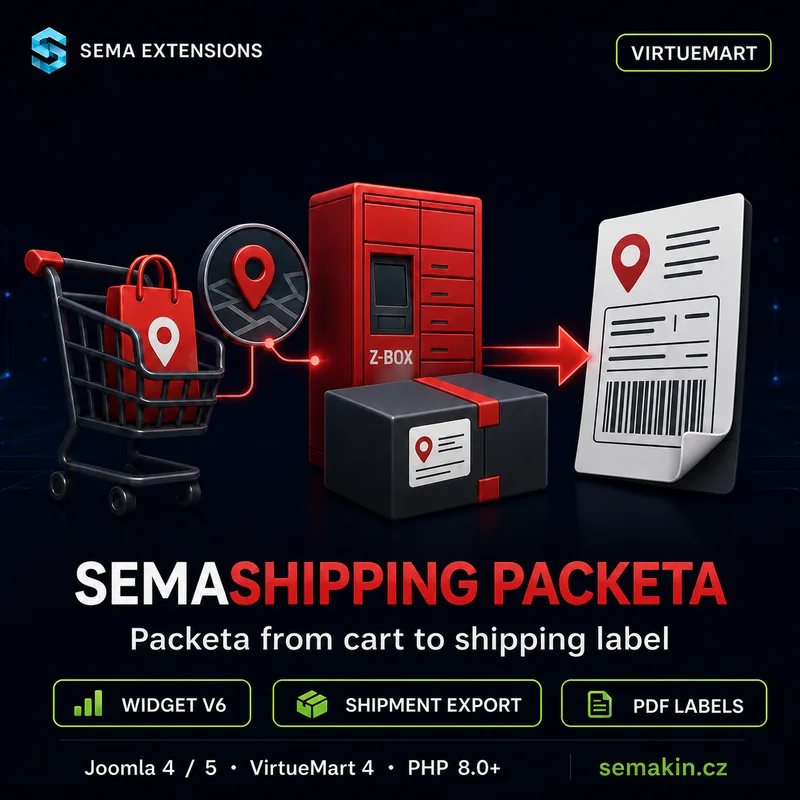
Zasilkovna in VirtueMart
Pickup points, Z-Boxes and home delivery — right in the cart
One plugin. Widget in the cart, shipment export and label from the admin panel.
Zasilkovna (Packeta) is the most widely used delivery service in the Czech Republic and Slovakia. Thousands of pickup points, Z-Boxes and home delivery are simply what customers expect from an online store today. SemaShipping Packeta brings the complete integration straight into VirtueMart: from picking a delivery point in the cart to exporting the shipment and printing the label in the administration.
Why You Need It
Shipping is the last step where an order can still be lost. If the customer cannot pick a specific delivery point, they leave — and if shipments are then retyped by hand into the Packeta client section, you pay for it in time and mistakes.
What customers expect in the cart
- Picking one specific delivery point on a map, not just a carrier name
- Z-Boxes and other external points next to Zasilkovna branches
- The option to have the parcel delivered straight to their address
- Cash on delivery when they do not want to pay upfront
- A selected point that does not disappear when the payment changes
Why avoid manual handling?
- Retyping addresses from orders into the Packeta client section
- Typos that only surface at the carrier
- Watching cash-on-delivery amounts by hand
- Labels printed from a different system than the shop
What SemaShipping Packeta Solves
Install one ZIP, enter the API key and password from the Packeta client section and create a shipping method in VirtueMart. Done. No template edits, no programming.
Delivery points and home delivery
- Packeta Widget v6 — interactive map for selecting a pickup point directly in the cart
- Pickup points + Z-Boxes — supports internal Zasilkovna points and external ones (Z-Box, Alzabox, etc.)
- Home delivery (HD) — separate shipping method without the widget, address taken from the order
- Carrier filter — display only selected point types (Z-Boxes, branches, specific carriers)
- Session persistence — the selected point survives payment changes and cart updates
- One Page Checkout — works in RuposTel One Page Checkout (
com_onepage2.0.x) too, with no extra configuration
Order fulfilment
- Shipment export — create a shipment in Packeta with one click from the order detail
- Bulk export — the whole dispatch queue sent to Packeta with one button, across several order statuses at once
- Shipment cancellation — cancel a packet in Packeta from the order detail and create a new one
- Automatic status change — the order switches itself to the status you choose once it is exported
- Label printing — PDF label (A6/A7) downloadable directly from the administration, individually or in bulk; bulk printing takes only packets still waiting to be handed over, or the orders you tick
- Printing onto a used sheet — with the A4 sheet format you pick the starting slot before a bulk print
- Automatic COD — cash-on-delivery detection and amount configuration
- Packet ID in the orders list — a badge with the packet ID right under the order number, struck through when the packet is cancelled
- Shipment statuses — the current status from Packeta fills in by itself when the orders list opens and is printed under the packet ID; the Check packet statuses button fetches it immediately
- Tracking for the customer — the shipping e-mail and My orders show the customer the parcel number with a link to Packeta tracking
- API log — audit trail of every API call (request + response, password masked)
Setup and operation
- Free shipping — configurable threshold for free shipping
- Multiple shipping methods — one plugin = several methods (pickup points + HD, CZ + SK…)
- Multilingual — Czech, Slovak, English, German and Polish included
- Automatic updates — via SemaHub, straight from the Joomla administration
How It Works
For the customer
Chooses Zasilkovna
In the cart the customer picks Zasilkovna among the shipping methods — either to a delivery point or straight to their address.
Picks a delivery point
The Packeta Widget v6 map opens. The customer finds a branch or a Z-Box, confirms it — and sees the selected point right next to the shipping method.
Completes the order
The chosen point is stored with the order and survives a payment change or a cart update. Nothing has to be entered twice.
For the shop operator
- One-time setup — The API key and password from the Packeta client section are entered once in the shipping method parameters.
- Export in one click — The shipment is created in Packeta straight from the order detail in VirtueMart.
- Label ready to print — The A6 or A7 PDF downloads right next to it, with no signing in to Packeta. A partially used A4 sheet can be printed from the slot you choose, so the remaining slots are not wasted.
- Dispatch in batches — From the orders list, one button sends every order waiting for dispatch and downloads their labels as a single PDF.
- The status switches itself — After a successful export the plugin moves the order to the status you choose. No more manual switching.
- Fixing a mistake — Cancel a wrongly created shipment straight from the order and create a new one. The original packet ID stays on record.
- No clicking through — The packet ID and its status are visible in the orders list itself. Statuses fill in from Packeta by themselves when the list opens, so you only open an order detail when you really need to.
- Audit trail — Every API call is logged together with its response, with the password masked.
Configuration
| Parameter | Description |
|---|---|
| API Key (Widget) | Public key for Packeta Widget v6 (16 characters) |
| API Password | Secret password for REST API (export, labels) |
| E-shop Identifier | Sender name in Packeta |
| Delivery Type | Pickup Points + Z-Boxes / Home Delivery |
| Widget Country | ISO country code (cz, sk) |
| Carrier Filter | Comma-separated carrier IDs for the widget |
| HD Carrier ID | External carrier ID for home delivery |
| Shipping Cost | Base cost + package fee |
| Free Shipping Above | Threshold for free shipping |
| COD Payment IDs | Payment method IDs that are Cash on Delivery |
| Label Format | A6 on A4, A7 on A4, A6 on A6, A7 on A7; with the A4 sheet the slot is picked before every bulk print |
| Default Weight | Fallback package weight when the product has none |
| Export Order Status | Statuses bulk export draws from (several allowed, comma-separated) |
| Order Status After Export | Status the order is switched to once the shipment is created |
Technical Specifications
| Property | Value |
|---|---|
| Extension Type | VirtueMart shipment plugin |
| Element | semazasilkovna |
| Joomla | 4.x, 5.x |
| VirtueMart | 4.x |
| PHP | 8.0+ |
| Packeta API | REST XML (createPacket, labels, packetStatus) |
| Widget | Packeta Widget v6 |
| Checkout | VirtueMart and RuposTel One Page Checkout (com_onepage 2.0.x) |
| Languages | Czech, Slovak, English, German, Polish |
| License | GPL v2+ |
| Automatic Updates | Yes (via SemaHub) |
Frequently Asked Questions
Do I need a Zasilkovna account?
Yes. The plugin connects to the Packeta API — you need an active account with an API key and API password.
Does the plugin work with external points (Z-Boxes, Alzabox)?
Yes. Widget v6 supports both internal Zasilkovna points and external points (Z-Boxes, Alzabox and others). The point type is detected automatically and exported correctly.
Can I offer pickup points and home delivery at the same time?
Yes. Simply create two shipping methods in VirtueMart — one with the “Pickup Points + Z-Boxes” type and another with the “Home Delivery” type.
Does the plugin support cash on delivery?
Yes. In the settings you enter the IDs of the payment methods that are COD. The COD amount is set automatically during shipment export.
Does the plugin work with Slovak pickup points?
Yes. In the shipping method settings, set “Widget Country” to sk.
What if the customer changes the payment after picking a point?
The selected point is preserved. The data is stored in the PHP session and survives payment changes, cart updates and navigation between checkout steps.
Can I filter which points are displayed?
Yes. The “Carrier Filter” parameter lets you display only selected point types (for example only Z-Boxes or only specific carriers). Carrier IDs can be found in the Packeta carrier feed.
What format does the API communication use?
The Packeta API uses REST XML (not JSON). The plugin handles it automatically — you do not need to care about the format.
Are export records deleted on uninstall?
No. The #__sema_zasilkovna_log table (audit records) is intentionally preserved on uninstall. It serves as an audit trail.
Does the plugin support bulk export?
Yes. The VirtueMart orders list gains a button that sends every not-yet-exported order in the selected statuses (several are allowed, comma-separated) to Packeta in one click, plus a second one that downloads their labels as a single PDF. Bulk labels cover internal Zásilkovna pickup points; for Z-Boxes and home delivery the label is downloaded individually from the order detail.
Can I reuse a sheet I have already peeled labels off?
Yes. An A4 sheet holds four A6 labels and the plugin asks which slot to start from before every bulk print. You finish the started sheet instead of opening a new one.
Does the plugin work with One Page Checkout?
Yes. Since version 1.4.0 the plugin supports RuposTel One Page Checkout (com_onepage) with nothing extra to configure. The widget and the selected point work through the AJAX cart recalculation, and a pickup point is never carried over between customers. Verified with a complete order, export and cancellation included, on Joomla 4.4 with VirtueMart 4.4 and 4.6 and OPC 2.0.460.
Can a shipment be cancelled if I create it by mistake?
Yes. The order detail has a “Cancel Shipment” button. The packet is cancelled in Packeta, its ID stays on the order for reference, and one click creates a new one. Cancellation is possible until the carrier physically collects the shipment.
Do I have to switch the order status manually after export?
No. In the settings you pick the status the order moves to once the shipment is created (for example “Shipped”). Leave the field empty and the plugin leaves the status alone. Whether the change e-mails the customer is governed by VirtueMart.
Which order statuses can I export from?
The ones you choose — and several at once if you like (for example E,Q). Status codes differ from shop to shop, so look at VirtueMart › Orders › Order Statuses and pick the one your orders wait for dispatch in.
Can I tell from the orders list where a shipment is?
Yes. A badge with the packet ID sits under the order number and its status in plain words underneath — a cancelled packet is struck through. Statuses fill in by themselves: when the list opens, the plugin asks Packeta in the background about packets nobody has checked for a while (the interval is configurable, one hour by default). The Check packet statuses button fetches them immediately. A status we do not have a translation for is printed exactly as Packeta returned it — it is never left blank.
How it looks in practice


Packeta® and Zásilkovna® are registered trademarks of their respective owners. This product is an independent extension and is not affiliated with, or endorsed by, the operator of the Packeta / Zásilkovna service.