

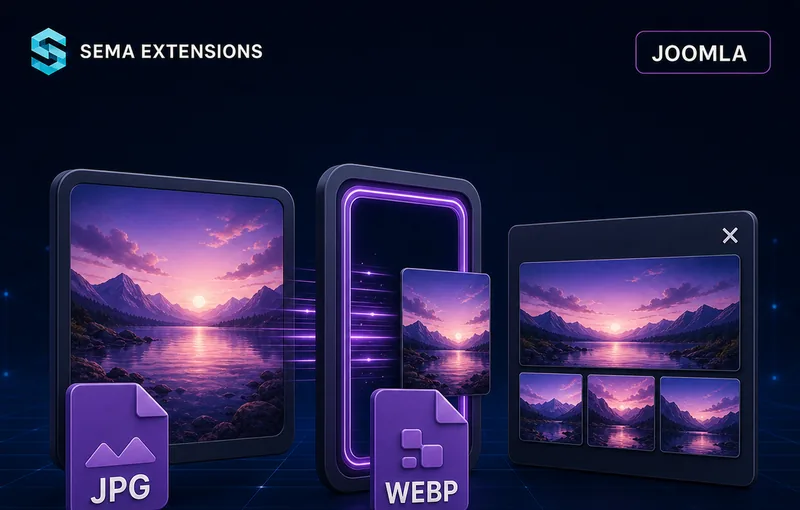
Automated Image Processing & Gallery
Presets, variants, formats and compression. One upload — done.
5 extensions in one package. Install in a minute.
Why You Need This
Without Semapix
- Manual scaling in a graphics editor
- Inconsistent dimensions across pages
- Missing WebP / AVIF versions
- Oversized files that slow down the site
- No gallery module — custom HTML or third-party plugin
With Semapix
- Automatic variants from a single upload
- Consistent dimensions defined by presets
- WebP and AVIF generated automatically
- Target file size in kB — never exceeded
- Built-in responsive gallery with lightbox
Package Contents
Sema Pix is delivered as a package containing five integrated extensions:
- Core library (
lib_semapix) — image processing engine, preset handling, adapter logic - System plugin (
plg_system_semapix) — hooks into Joomla events for automatic processing - Admin module (
mod_semapix) — drag-and-drop upload interface with preset buttons and results table - Gallery component (
com_semapix) — back-end management of galleries and images - Site module (
mod_semapix_gallery) — front-end responsive gallery with lightbox
Key Features
Preset System
- Define image variants once (thumbnails, detail, WebP)
- Apply the same preset to any upload
- Geometric modes: scale, fit, cover, pad
- Format conversion: JPG, WebP, AVIF
Smart Compression
- Target file size in kilobytes
- Binary search algorithm ensures the limit is never exceeded
- Imagick adapter (preferred) or GD Library with automatic fallback
Gallery & Display
- Responsive grid layout with lightbox viewer
- Pagination for large galleries
- Drag-and-drop admin upload module
- Integration widget — add image upload to any component with a single XML line
How It Works
Image processing
Upload
Drag one or more images into the admin module. Select the target preset.
Processing
The engine generates all defined variants — thumbnails, detail images, WebP and AVIF — in a single step.
Result
A results table shows all generated files with dimensions and file sizes. Copy paths and use them anywhere on the site.
Gallery creation
Create gallery
In the admin component, create a new gallery and upload images.
Configure module
Place the gallery site module on the desired page. Select the gallery and set layout options.
Display
A responsive grid gallery appears on the front-end with a built-in lightbox viewer and optional pagination.
Configuration
| Setting | Description |
|---|---|
| Presets | Named sets of image variant definitions (dimensions, format, quality) |
| Geometry modes | Scale, fit, cover, pad — per variant |
| Target formats | JPG, WebP, AVIF — per variant |
| Quality / target file size | Fixed quality percentage or maximum file size in kB |
| Image adapter | Imagick (preferred) or GD Library with automatic fallback |
| Output directory | Configurable path for processed images |
| Gallery columns | Number of columns in the responsive grid |
| Lightbox | Enable/disable built-in lightbox viewer |
| Pagination | Number of images per page (0 = show all) |
| Thumbnail size | Dimensions for gallery thumbnails |
| Upload limit | Maximum file size and number of files per upload |
| Allowed extensions | Whitelist of accepted image file types |
| Integration widget | XML definition for embedding in third-party components |
Technical Specifications
| Parameter | Value |
|---|---|
| Extension type | Joomla Package (library + plugin + module + component + site module) |
| Compatibility | Joomla 4.x / 5.x / 6.x, PHP 8.1+ |
| Image adapters | Imagick (preferred), GD Library (fallback) |
| Output formats | JPG, WebP, AVIF |
| JavaScript | Vanilla JS, no dependencies |
| Localisation | Czech, English |
| Installation | Single ZIP via Joomla Extension Installer |
| Updates | Fully automatic via Joomla Updater |
| Security | File type validation, size limits, prepared statements |
| Licence | GPL v2+ |
Frequently Asked Questions
Do I need Imagick on my server?
Imagick is recommended for best quality and AVIF support, but not required. The plugin automatically falls back to the GD Library if Imagick is not available.
Can I use it without the gallery?
Yes. The image processing engine and upload module work independently. You can process images and use them anywhere on your site without the gallery component.
Does it overwrite the original images?
No. Processed variants are saved as new files in the configured output directory. The original upload is always preserved.
How does the target file size feature work?
You set a maximum file size in kilobytes. The engine uses a binary search algorithm to find the optimal quality setting that produces a file just under the limit. The target is never exceeded.
Can I integrate it with other components?
Yes. The integration widget allows you to embed the upload interface into any Joomla component by adding a single XML line to its form definition.
Does it support batch processing?
Yes. You can drag and drop multiple images at once. All of them are processed through the selected preset in a single operation.
What about shared hosting with limited memory?
The GD Library fallback works on virtually any hosting. For Imagick, check your hosting panel or ask your provider. Most modern shared hosts support it.
Can I have multiple presets?
Yes. Define as many presets as you need — for example, one for product photos (thumbnail + detail + WebP) and another for blog images (hero + social media size).
Does the lightbox require jQuery?
No. The entire front-end is vanilla JavaScript with zero dependencies.
What happens after the one-year licence expires?
The extension continues to work indefinitely. You stop receiving updates and support. Renew any time to resume.
How it works in practice


