
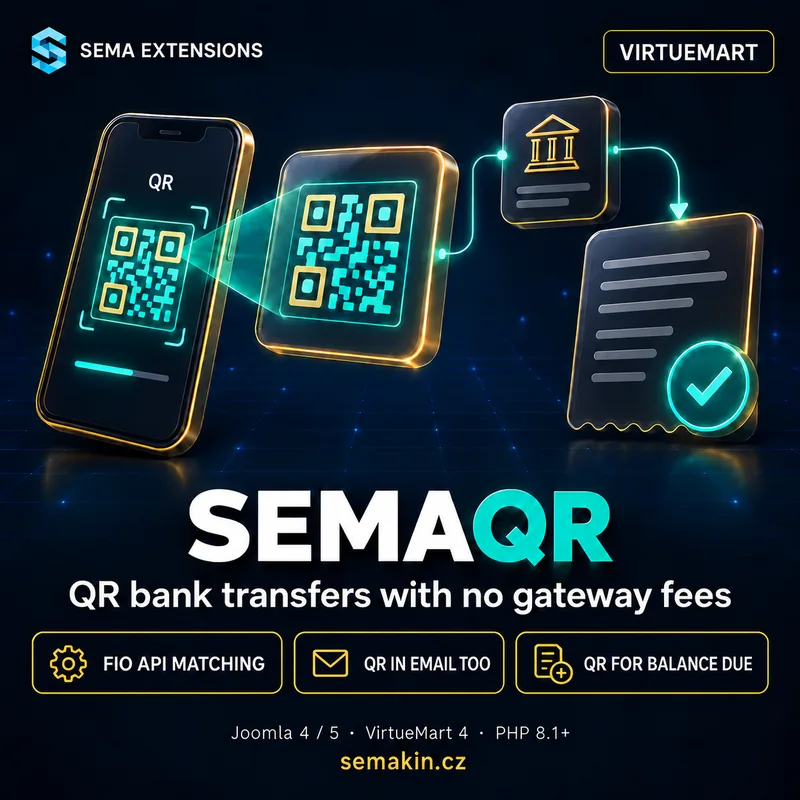
Why you need it
Bank transfer is the cheapest payment method for an online shop, and the most work. The customer copies the account number and variable symbol, mistypes a digit, and every morning you go through the bank statement and mark orders as paid by hand. SemaQR turns it into a few taps for the customer and no work for you.
What the customer wants
- Scan a QR code in the banking app instead of copying numbers
- Have the QR code in the e-mail too, when not paying right away
- See that the payment arrived without calling the shop
- Get the goods right away, not after someone checks the statement
What slows you down with transfers
- Going through the statement and matching payments every day
- Mistyped variable symbols or amounts
- Underpayments, overpayments and payments for cancelled orders
- Shipping waits until someone gets to the statement
What SemaQR does
Install one ZIP, create a payment method in VirtueMart, enter your IBAN and Fio API token and set up a cron job at your hosting. Done. From then on, paid orders are switched automatically.
QR payment for the customer
- QR code in the QR Platba format — the Czech SPAYD standard read by every banking app in the Czech Republic
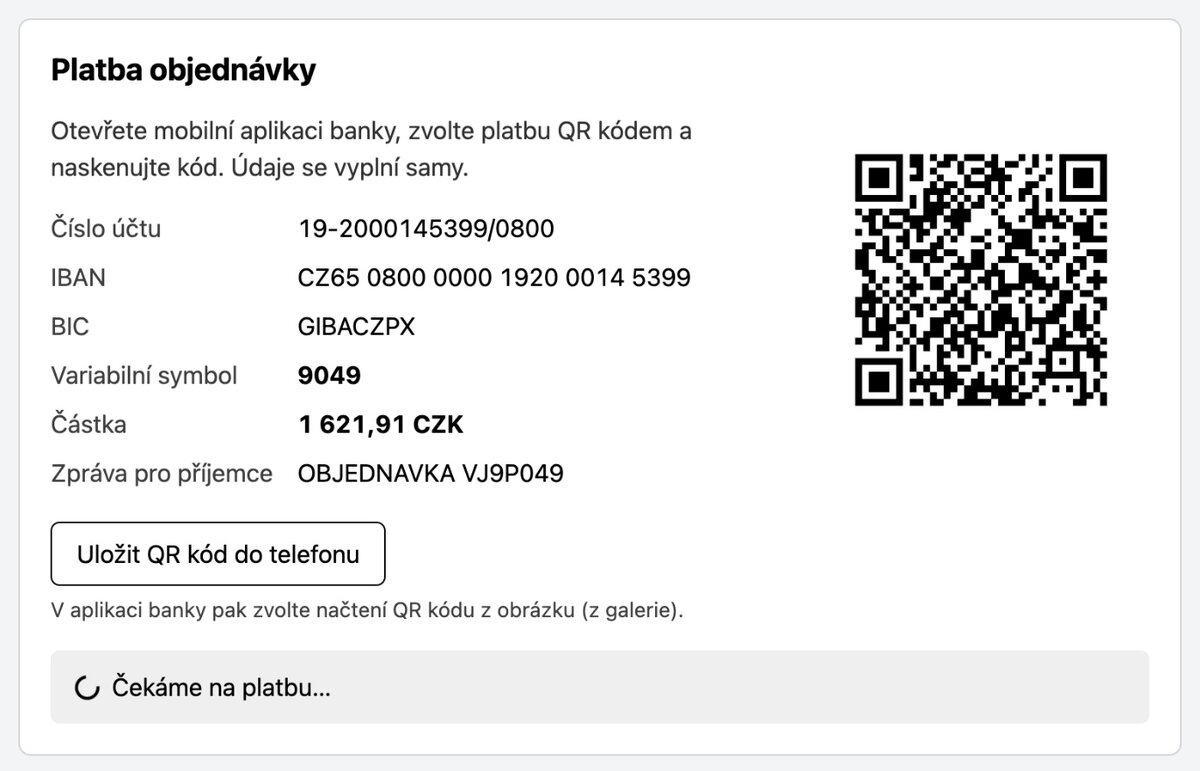
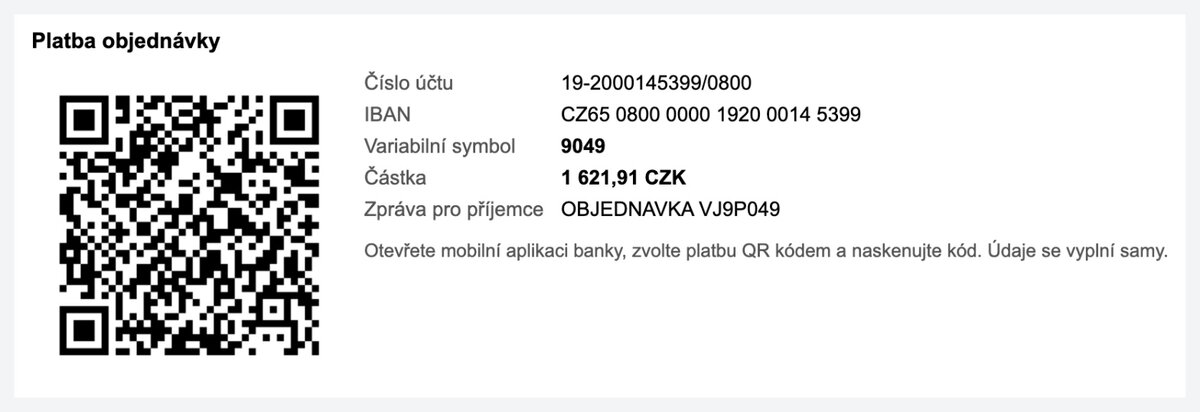
- On the thank-you page, in the order detail and in the e-mail — the customer can pay right away or later from the confirmation e-mail
- Save the QR code to the phone — a “Save QR code” button, on iPhone via the share sheet so the code can be opened in the banking app
- Details for manual entry — account, amount, variable symbol and message below the code
- Live payment status — the thank-you page shows “Paid” as soon as the payment is matched
Automatic payment verification
- Transactions from the Fio API — the plugin downloads incoming payments with a read-only token
- Matching by variable symbol — with amount and currency check and an adjustable tolerance
- Order status change — a paid order moves to the status you choose and VirtueMart e-mails the customer according to your status settings
- Underpayment — its own status, an e-mail to the customer and a new QR code for the remaining amount; partial payments add up
- Overpayments and disputed payments — payments in another currency, for a cancelled order or duplicates are e-mailed to the administrator for manual review
Administration
- Verify payment now — instant bank synchronisation right from the order detail
- Mark as paid — manual confirmation, the order history records who did it
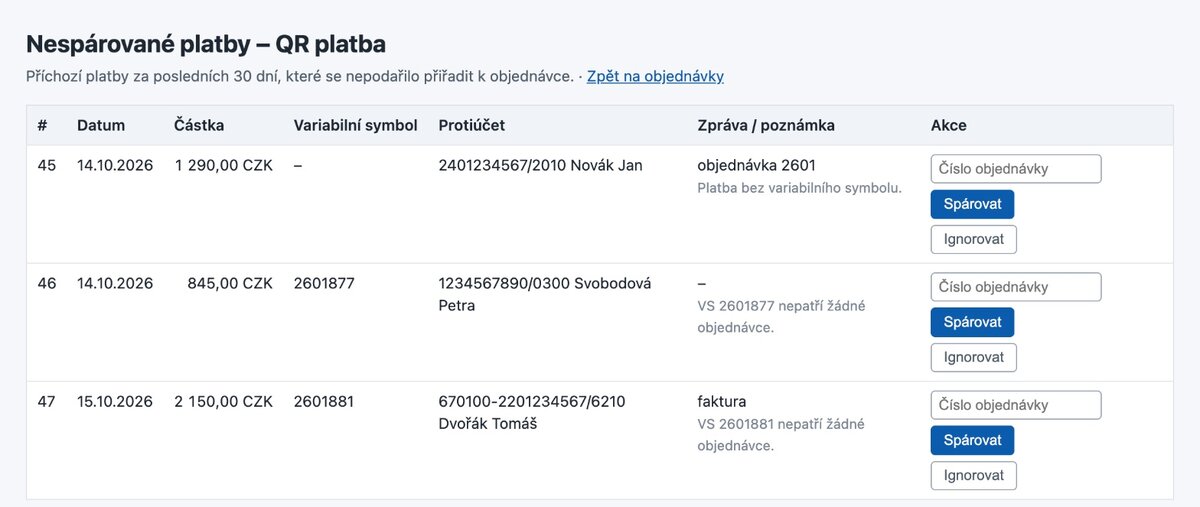
- Unmatched payments — a list of incoming payments that could not be assigned, with manual matching or ignoring
- Daily summary — optional e-mail listing unmatched payments
- Securely stored token — VirtueMart encrypts it with the key from its safe path
- Automatic updates — via SemaHub, right from the Joomla administration
How it works
For the customer
Chooses QR payment
Selects QR code payment in the cart and completes the order as usual.
Scans the QR code
Scans the code on the thank-you page or in the e-mail with the banking app. Account, amount and variable symbol fill in automatically.
Gets a confirmation
As soon as the payment reaches the account, the order is marked as paid and the customer receives an e-mail.
For the shop owner
Cron downloads transactions
Every few minutes the plugin asks the Fio API for new incoming payments.
Payments are matched
It finds the order by variable symbol, checks amount and currency and changes the order status.
You just ship
You only handle the exceptions the plugin e-mails you: underpayments, overpayments and payments that could not be assigned.
Settings
| Parameter | Description |
|---|---|
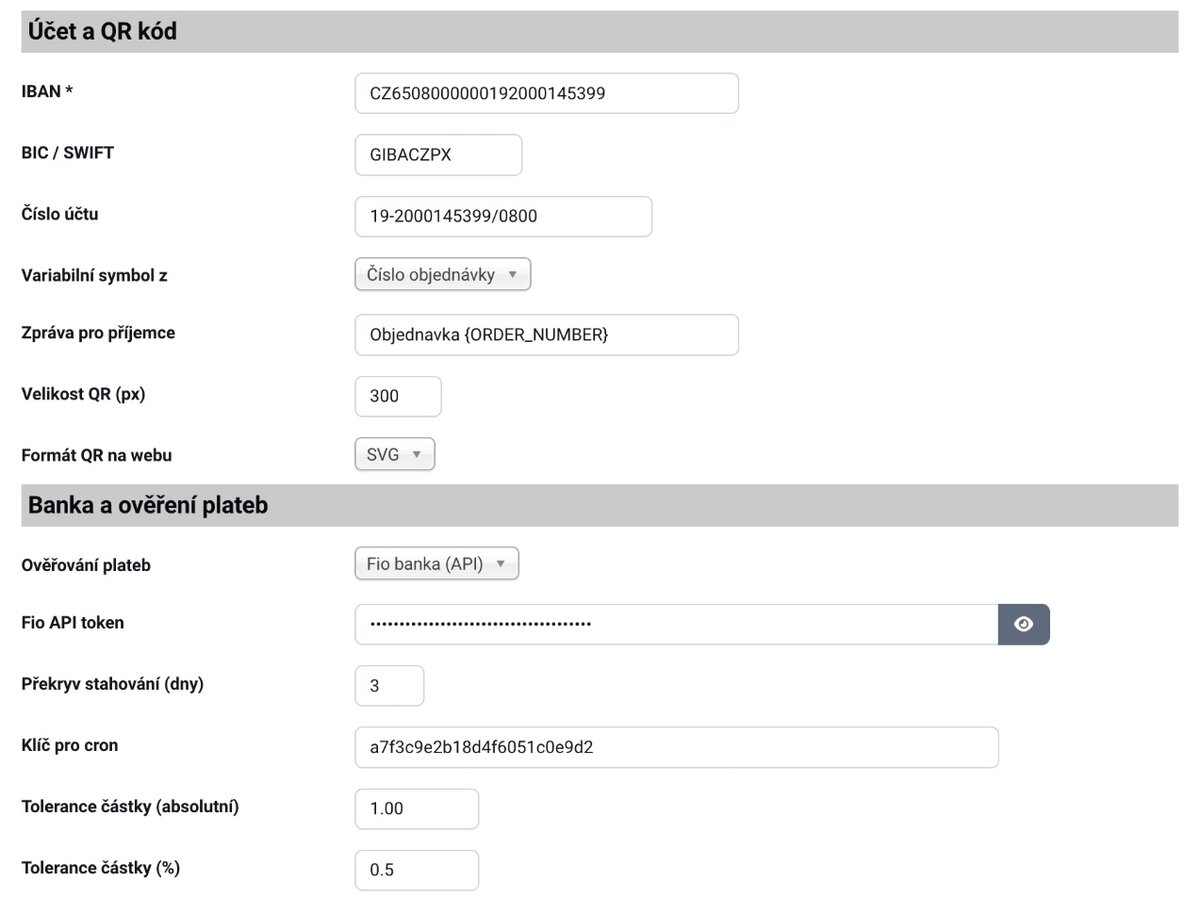
| IBAN and BIC | Account for payments, the IBAN is validated |
| Currencies | The method is offered only in allowed currencies; another instance for another account or currency |
| Variable symbol | From the order number or the order ID |
| Message for recipient | Template with order number and shop name |
| Bank | Fio (with verification) or no bank (QR code only) |
| Amount tolerance | Absolute or in per cent |
| Order statuses | Awaiting payment, paid, underpaid |
| Administrator notices | E-mail for bank errors, payments for manual review and the daily summary |
| Thank-you page | Status check interval, details for manual entry |
Technical details
| Property | Value |
|---|---|
| Extension type | VirtueMart payment plugin |
| Element | semaqr |
| Joomla | 4.x, 5.x |
| VirtueMart | 4.x |
| PHP | 8.1+ (gd and openssl extensions) |
| QR format | QR Platba (SPAYD) |
| Bank for verification | Fio banka (Fio API, read-only token) |
| Cron | URL call every 2–5 minutes (hosting cron) |
| Language | Czech, English |
| Licence | GPL v2+ |
| Automatic updates | Yes (via SemaHub) |
Frequently asked questions
Do I need an account with Fio banka?
Only for automatic payment verification. Without a Fio account the plugin runs in “no bank” mode: the customer gets a QR code and you confirm payments manually with a button in the order.
Do you support other banks?
Not yet. Payment verification currently works with the Fio API. If your account is elsewhere and you are interested in a connection, let us know.
Can the plugin access money in the account?
No. You create the Fio API token with read-only access to transactions. It cannot send payments.
How fast is an order marked as paid?
It depends on the cron interval and on when Fio books the payment. For transfers within one bank and instant payments it is usually a few minutes.
What if the customer pays less?
The order moves to the “underpaid” status, the customer receives an e-mail and sees a QR code for the remaining amount on the website. The second payment is added to the first.
What if the customer forgets the variable symbol?
The payment appears in the list of unmatched payments and you assign it to the order with one click. With a QR payment it cannot happen, the symbol is in the code.
Other payments also arrive in my account. Is that a problem?
No. Payments that do not belong to any order are only recorded. The daily summary of unmatched payments can be turned off.
Can two shops share one account?
Yes, as long as the order numbers (variable symbols) of the two shops do not overlap. The Fio API allows one request per token every 30 seconds, so the synchronisation of the two shops spaces itself out.
Will my hosting handle it?
Your hosting just needs a cron job that calls a website URL (Wedos, Forpsi, 4shop or your own server). The payment method form shows the URL including the secret key.
Does the customer get the QR code by e-mail too?
Yes, in the order confirmation. The “awaiting payment” status must be among the statuses in which VirtueMart e-mails the customer (Configuration → Shop).
How it works in practice