SemaPos – Store and E-shop in One
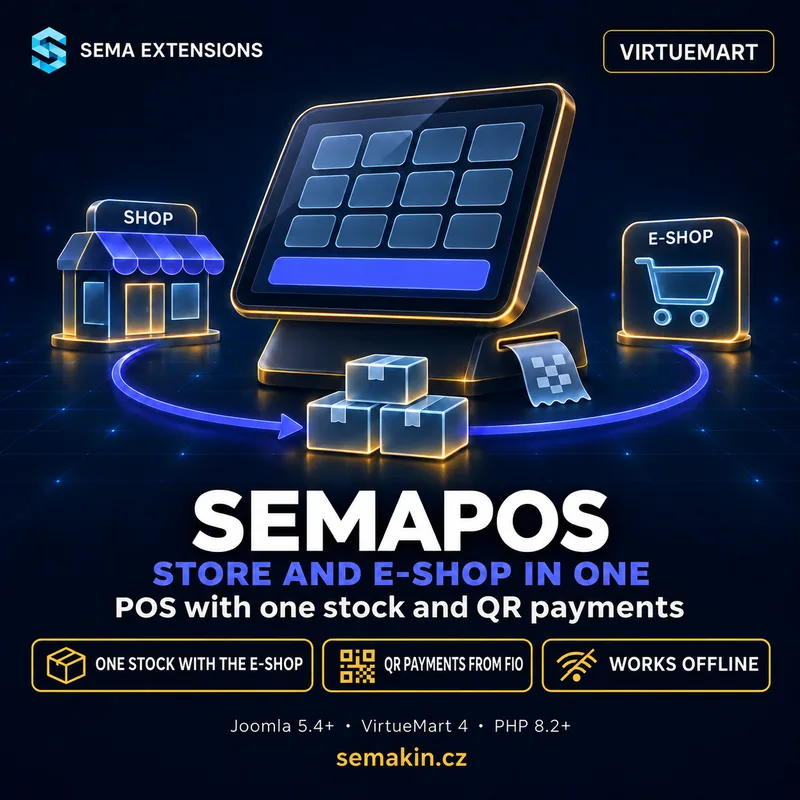
POS with one stock and QR payments
Invoices, gift vouchers and export to Pohoda. Works offline.
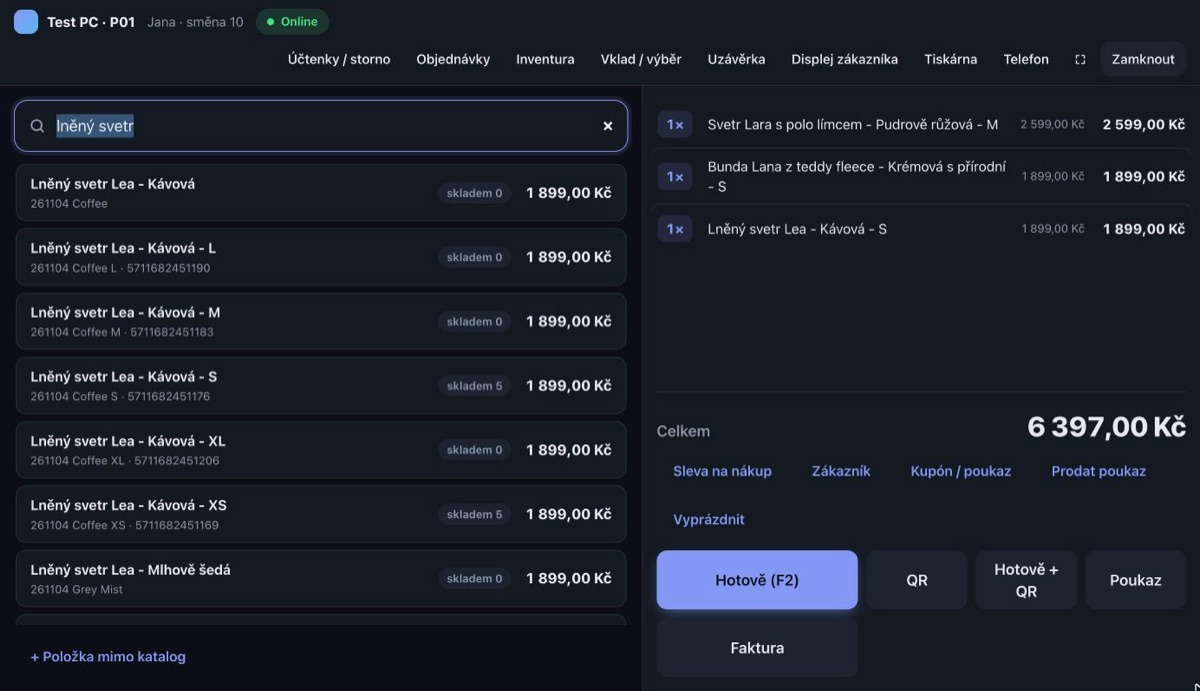
A shop with its own till and a VirtueMart e-shop means two stock records that sooner or later drift apart. SemaPos is a point of sale inside Joomla: it sells from the VirtueMart catalogue, takes items off the same stock as the e-shop and records receipts in the Czech EET 2.0. It issues an invoice for a receipt, sells gift vouchers and hands the shop's documents to your accountant in Pohoda together with the e-shop invoices. It runs in the browser on a PC, tablet or phone.
Why you need it
What a shop needs
- One stock level for the shop and the e-shop, no retyping
- Sales recorded in EET 2.0 without replacing the till
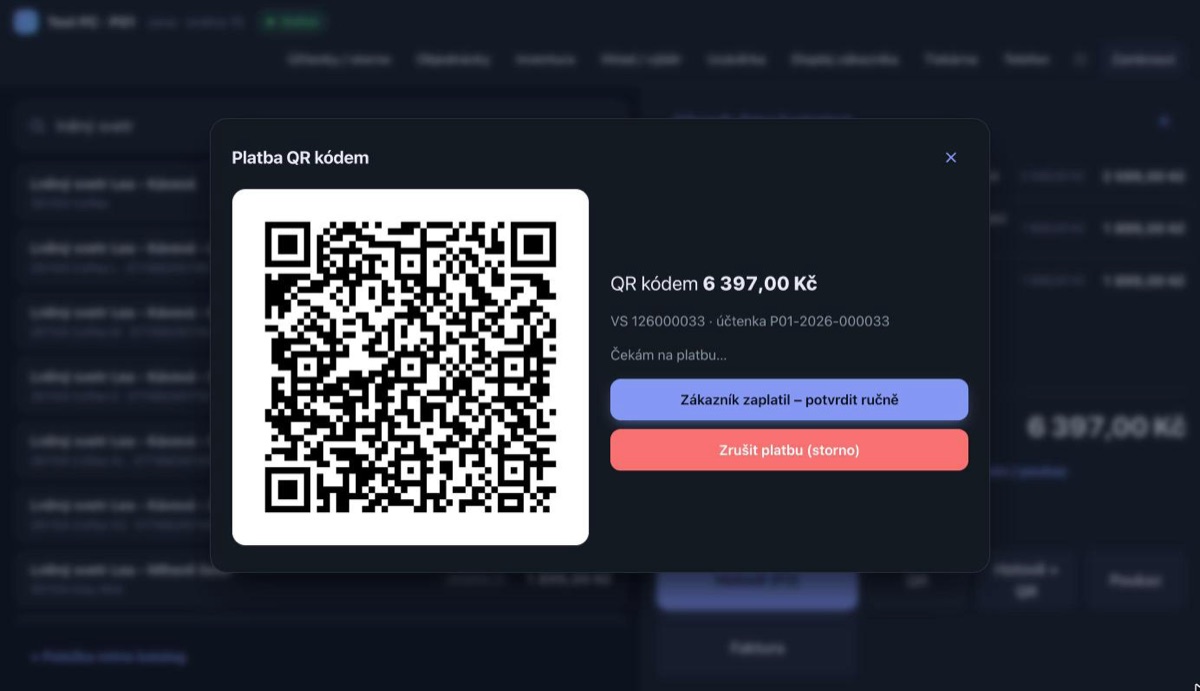
- QR payments that match themselves to incoming payments
- E-shop order pickup and returns in one place
- Invoices for businesses and wholesale prices without another app
- Documents for the accountant in one file for the shop and the e-shop
- A till that does not lose a sale when the internet goes down
Complications of using separate systems
- Copying till sales into the e-shop stock by hand
- Items “in stock” on the website that were already sold in the shop
- Checking QR payments against the bank statement
- Two closings, two sales reports, two price lists
- Retyping till sales into the accounting software
What SemaPos solves
Selling
- Catalogue from VirtueMart — Prices are calculated by VirtueMart exactly as in the e-shop cart, including discounts and VAT.
- Barcode reader or phone as scanner — A USB barcode reader, or the camera of a phone connected to the till.
- Cash, QR, voucher and bank transfer — A QR payment (SPAYD) is matched to the Fio account movement by variable symbol and amount. One receipt can combine payments.
- Customer on the receipt — A customer from the e-shop, or a new one created right at the till. The administration shows their purchases in the shop.
- Cashiers and shifts — Cashiers with a PIN, cash in and out, shift closing and Z-report.
Invoices and wholesale
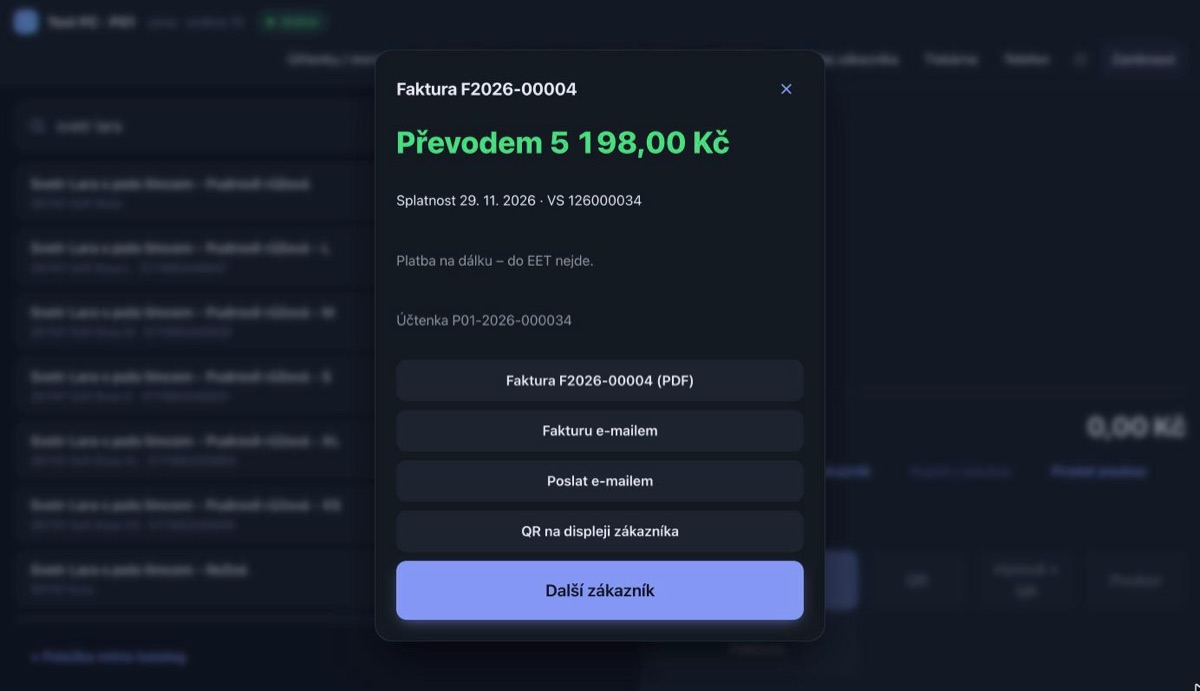
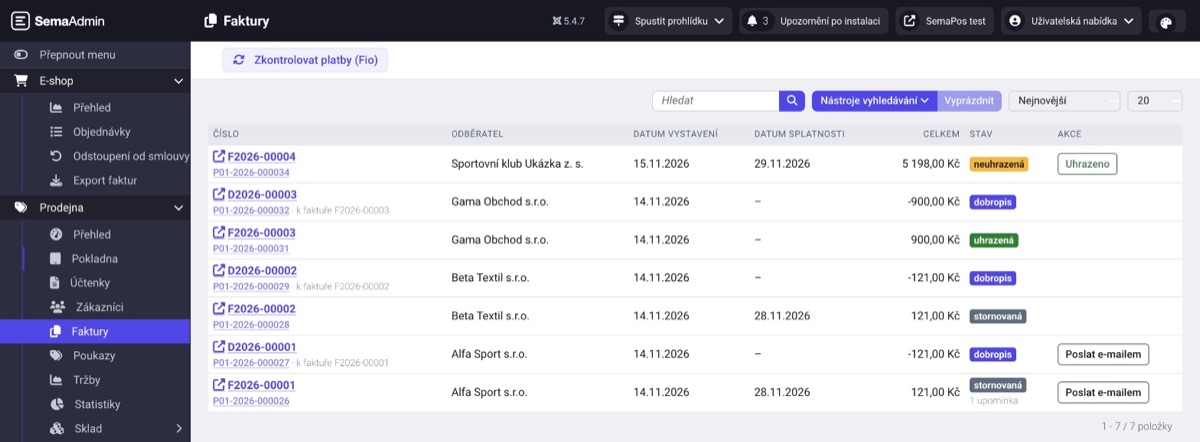
- Invoice for a receipt — Invoices and credit notes with their own number series, as PDF and by email. Buyer details filled in from the ARES register by company ID.
- Wholesale prices — Prices by VirtueMart shopper group right at the till.
- Bank transfer — An invoice with a due date, the payment is matched from Fio. Reminders by hand or automatically.
Vouchers and coupons
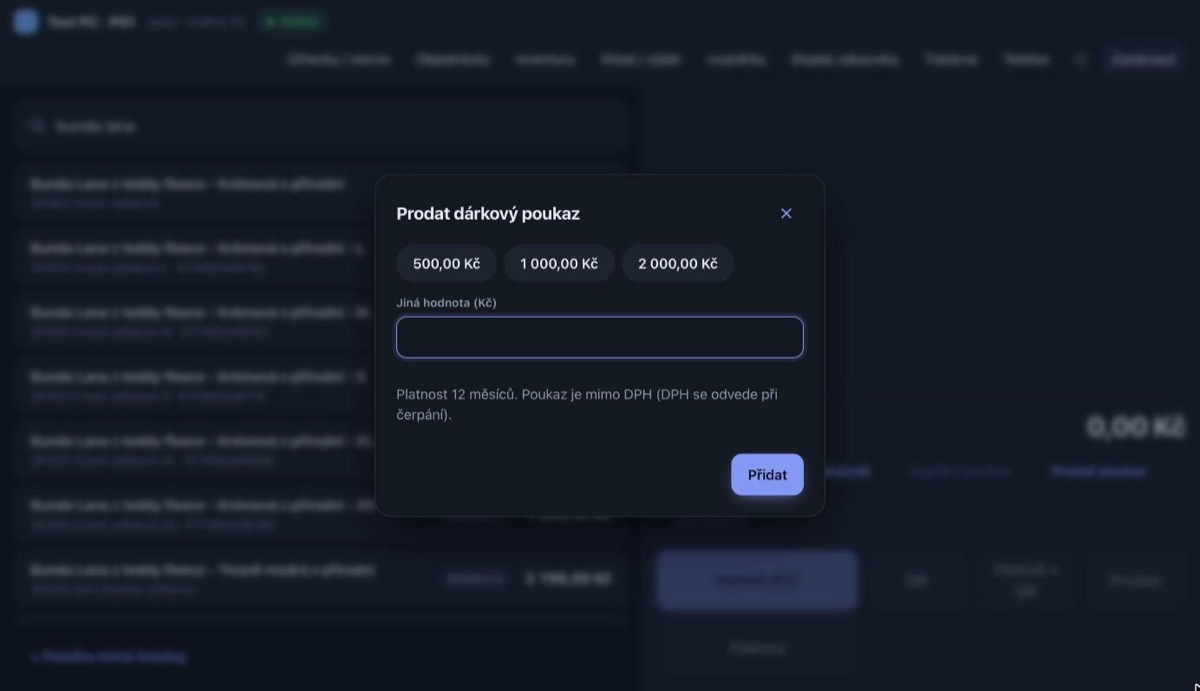
- Gift vouchers — Sold at the till, redeemed in the shop and in the e-shop, any unspent balance stays on the voucher. VAT only on redemption.
- VirtueMart discount coupons — E-shop coupons work at the till under the same conditions.
Accounting and reports
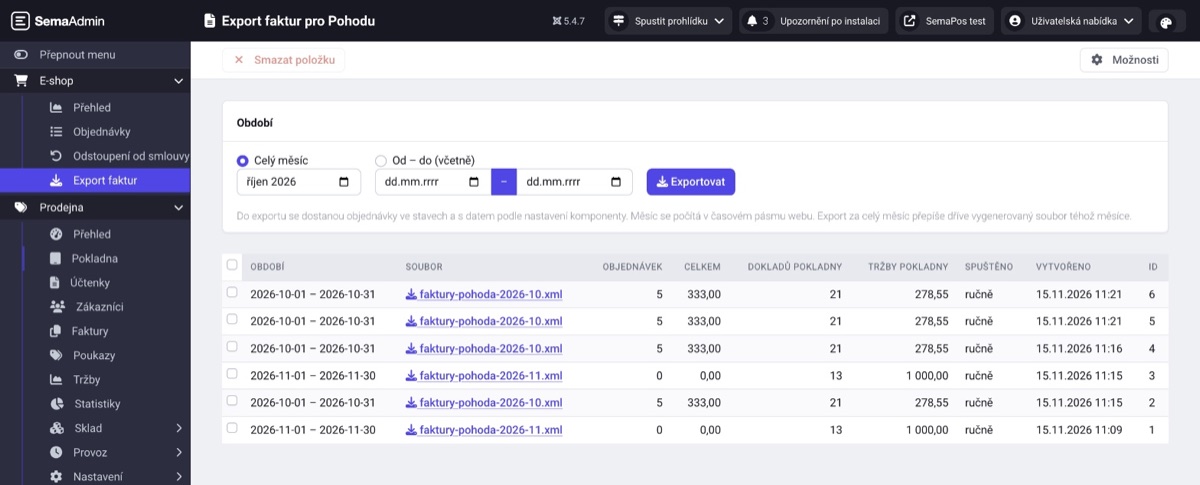
- Export to Pohoda — Cash documents, QR payment receivables, invoices and credit notes in one XML file with the e-shop invoices. The export is done by the SemaPohoda for VirtueMart extension.
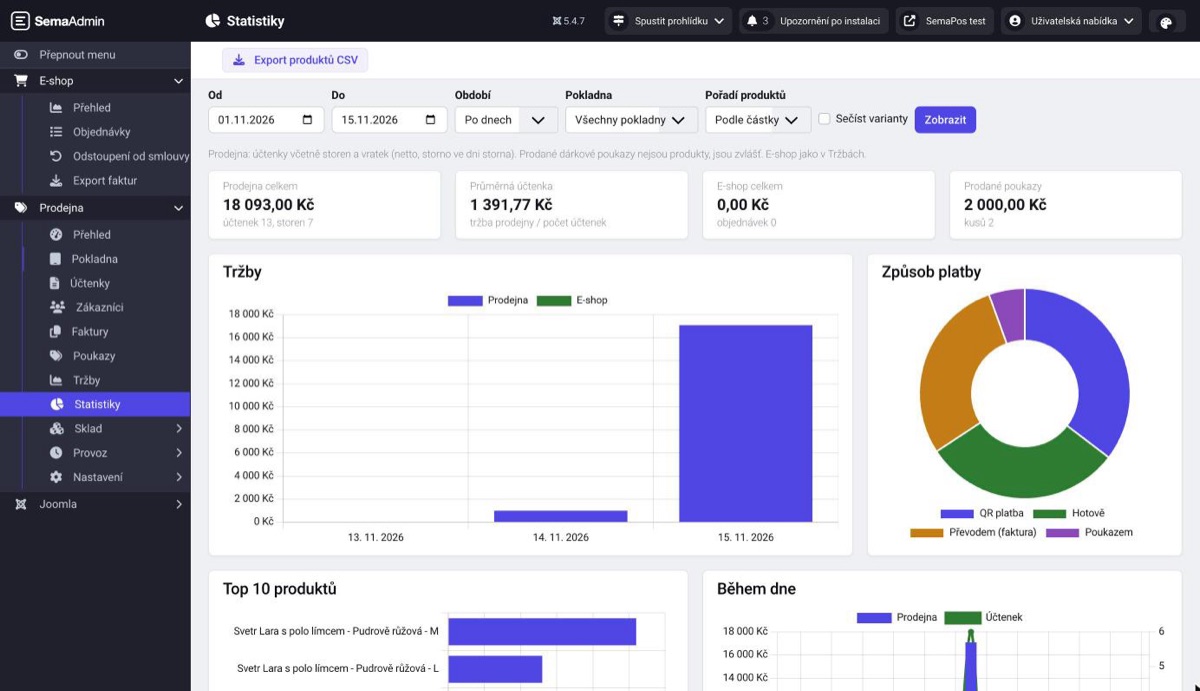
- Statistics — Charts of shop and e-shop sales, best-selling products, cashiers, payments and sales during the day. CSV export.
- Daily summary by email — Sales, payments, cashiers, top 5 products and a comparison with last week.
EET 2.0
- Recorded when the receipt is saved — Answer within three seconds, otherwise a background queue with retries.
- Verified response signature — Confirmations are verified against the Financial Administration certificate.
- Certificate in the administration — Upload the .p12 with its password, warning 30 days before it expires.
- Verification mode — Test the EET connection without recording a sale.
Stock and e-shop
- One stock — Shop sales come off the same VirtueMart stock as the e-shop; the stock log shows every change.
- Goods receipts and stocktaking — Receive goods with a receipt, count stock even with a phone, differences in purchase price.
- Click & collect — Hand over e-shop orders, take payment for an order in the shop with a receipt.
- In stock in the shop — The product page on the website shows how many pieces are available in the shop.
How it works
Set up the shop
Tax ID, premises and EET certificate, the account for QR payments and the Fio token, receipt header.
Pair the devices
The till opens in the browser and pairs with a one-time code from the administration. No app store.
Sell
Cashiers sign in with a PIN, receipts go to EET and stock is updated at once.
For shop owners
- Selling without internet — Cash sales go on and receipts are sent once the connection is back.
- Receipt printer — An ESC/POS printer over USB straight from the browser, or an Epson network printer that tablets and phones can print to as well. The receipt carries a QR link to the e-receipt and can also be sent by email.
- Returns — Void a whole receipt, return some items, or return an e-shop order.
- Sales in one place — Shop and e-shop sales by day and VAT rate, CSV export.
- Phone as a till — On a narrow screen the till rearranges itself; printing goes to the printer at the PC.
- Your brand colour — The till colour is set in the administration, light and dark mode.
What you can configure
| Setting | Description |
|---|---|
| EET | Tax ID, premises, .p12 certificate, live or verification mode |
| QR payments | IBAN, payee name, Fio token for automatic matching |
| Cash | Cash rounding to whole crowns |
| Receipt | Header from the VirtueMart shop details, footer, VAT payer |
| Printing | Paper width, code page for Czech, cash drawer, automatic printing, Epson network printers |
| Invoices | Seller, due date, reminders |
| Wholesale | VirtueMart shopper groups with their own prices at the till |
| Vouchers | Validity and offered amounts |
| Daily summary | Email recipients |
| E-shop sales | Order statuses counted as sales |
| Order pickup | Pickup shipment methods, waiting and paid statuses, status after pickup |
| In stock in the shop | On/off, limit for the exact count |
| Cashiers | Names and PINs, devices and pairing |
| Appearance | Till accent colour |
Technical details
| Property | Value |
|---|---|
| Joomla | 5.4 or later |
| VirtueMart | 4.x |
| PHP | 8.2 or later, sodium extension |
| Database | MySQL 8 / MariaDB 10.6+ |
| Browser | Chrome or Edge (USB printing), the till runs as a PWA |
| Printer | ESC/POS over USB, or an Epson network printer with Server Direct Print |
| Website | HTTPS |
| Bank for QR | Fio banka (API token), otherwise manual confirmation |
| Accounting | Pohoda via SemaPohoda for VirtueMart 1.1 |
| Languages | Czech, English |
| Licence | GNU GPL v2 or later |
Frequently asked questions
Do I need an EET certificate?
Yes, the sales recording certificate (.p12) issued by the Czech Financial Administration. You upload it in the SemaPos administration; it is stored outside the public part of the website.
Do I need a Fio account?
Only for automatic matching of QR payments and invoice payments by bank transfer. Without a Fio token QR payments still work and the cashier confirms them by hand; you mark an invoice as paid in the administration.
What happens when the internet goes down?
The till keeps selling for cash and stores receipts on the device. Once the connection is back it sends them to the server and to EET. QR payments and voids need a connection.
Does the till take payment cards?
No. SemaPos works with cash and QR payments from a banking app.
Can stock go negative?
Yes, a sale is never blocked. The till warns and the administration lists negative stock.
Which printer do I need?
An ESC/POS receipt printer connected over USB to a PC with Chrome or Edge, or an Epson network printer with Server Direct Print (prints from any device). Printing is optional: EET 2.0 does not require a printed receipt and the customer can get an e-receipt.
Does it work on a phone?
Yes, as a till and as a barcode scanner for the till on a PC. A phone pairs the same way as a PC.
How do the documents get into Pohoda?
The SemaPohoda for VirtueMart extension creates one XML file per month with the e-shop invoices and the till documents. Your accountant imports it into Pohoda.
I have several shops. Will it cope?
You can have several tills, but there is one stock shared with the e-shop. Separate stock for several shops is not supported yet.
How it works in practice