Why you need it
SemaAdmin for VirtueMart is a package for people who handle orders in the VirtueMart administration every day. It includes the new SemaAdmin administrator template, adds what VirtueMart is missing, works around several of its known faults and shows what needs fixing in your shop — before a customer finds out.
A customer changes their mind about shipping after ordering, calls to add one more item, or needs a corrected invoice. In VirtueMart that means recalculating by hand, looking up product IDs and invoices that no longer match the edited order.
What slows down order handling
- Shipment and payment of a saved order cannot be changed
- A new item needs a product ID nobody knows by heart
- The old invoice stays after the order is edited
- Order numbers are hard to read out on the phone
What you find out too late
- A shipment method whose price stopped recalculating after a site move
- A phone number
+420…saved with a space instead of the plus - Products without weight units and wrongly calculated shipping
- A colleague who sees Orders in the menu but cannot open them
What SemaAdmin for VirtueMart solves
The package consists of six system plugins and the Shop check component. It does not modify VirtueMart files, so a VirtueMart update overwrites nothing and every module can be turned off on its own.
Orders
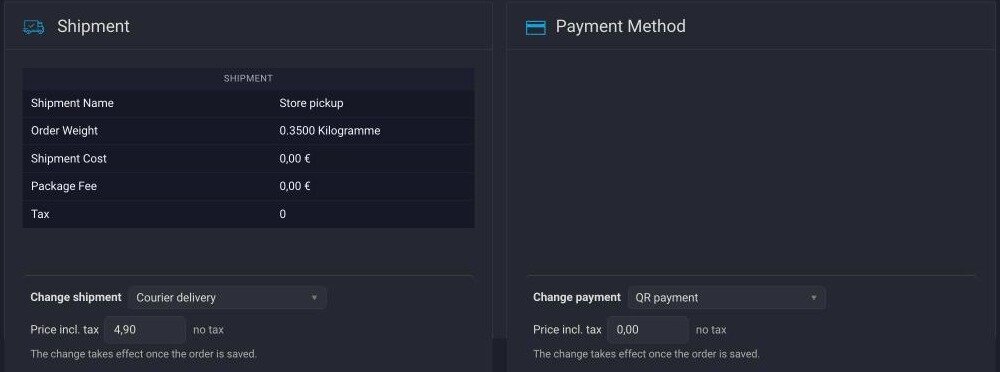
- Change shipment and payment — select a new method in the order detail; the price is recalculated from the method settings, order weight and delivery country, the order total follows and the change goes into the order history
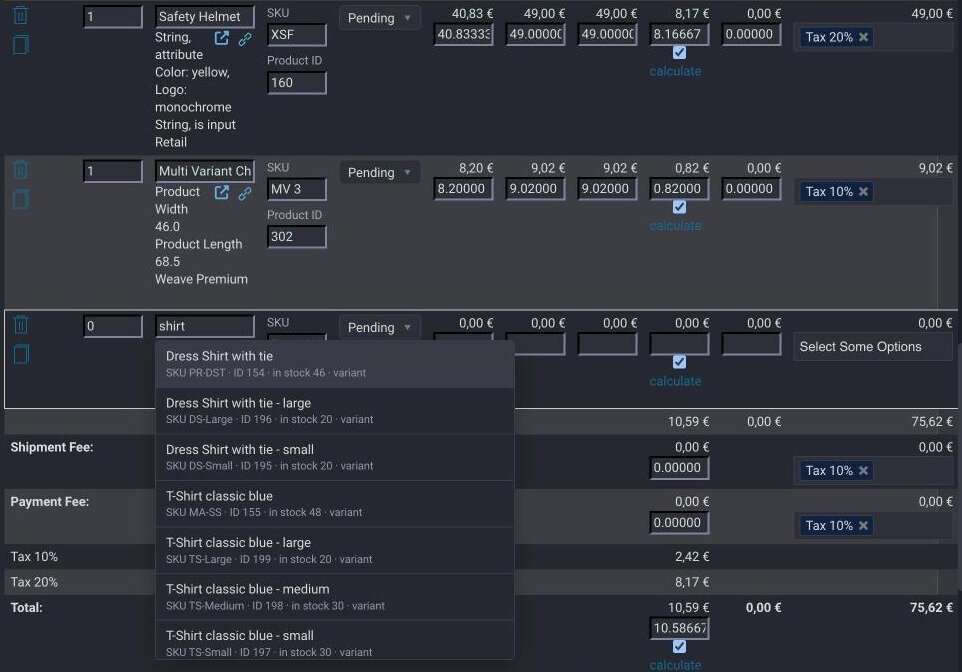
- Add products by name — the Name field suggests products by name, SKU or ID, the SKU field fills in the product ID
- Price and tax as at checkout — the shop fills in the name, price and tax of a new item on saving, for the customer's shopper group
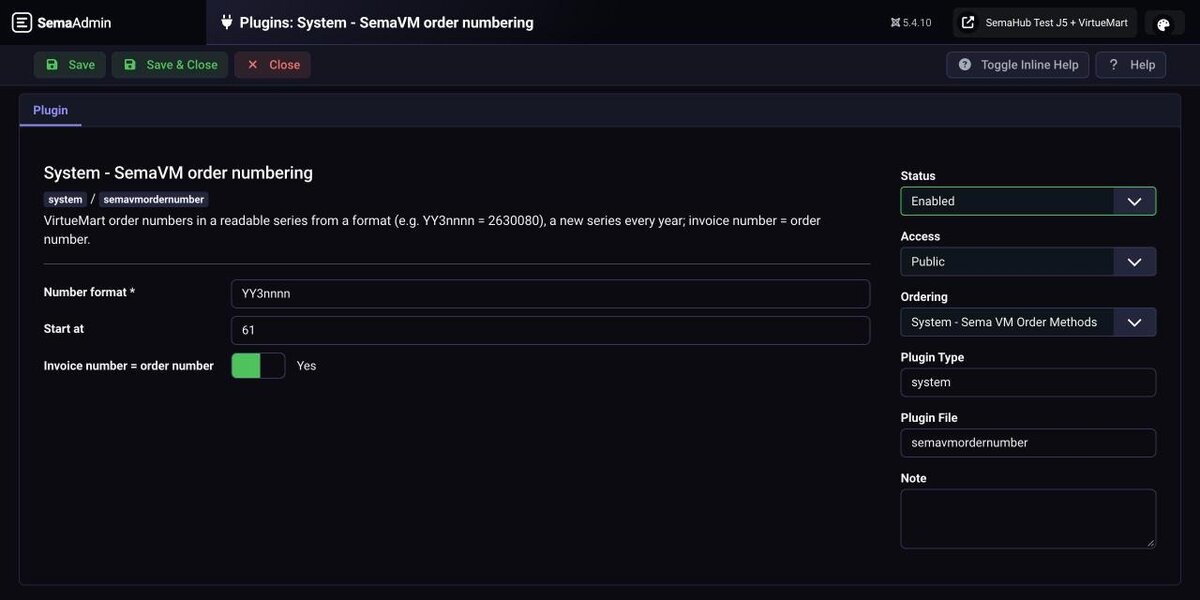
- Readable order numbers — a series by your format, e.g.
2630080; the invoice can use the same number - Up-to-date invoice after editing — invoice and delivery note PDFs are recreated from current data with the same number and date; a closed period protection keeps older documents unchanged
Shop check
- Read only, changes nothing — safe to run any time, also on a live shop
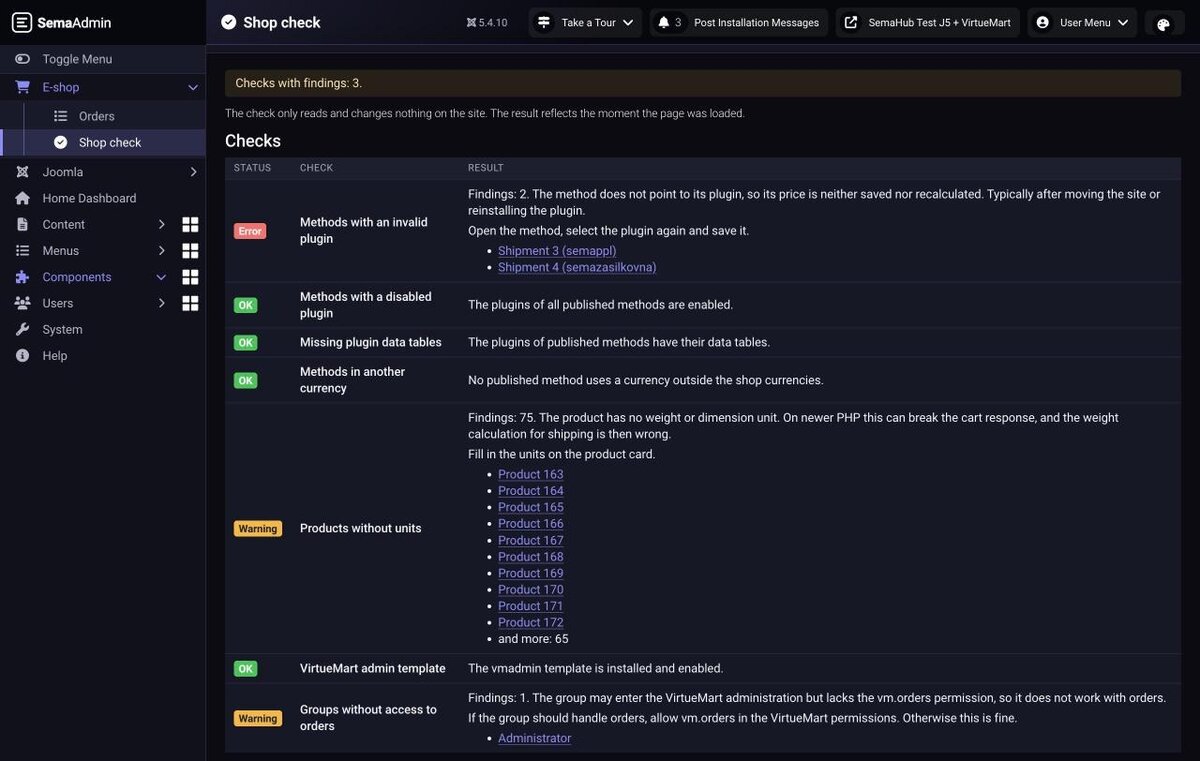
- Shipment and payment — methods with a missing or disabled plugin, missing plugin data tables, methods in a currency the shop does not use
- Products and permissions — products without units, a disabled administration template, user groups without access to orders
- A fix for every finding — not just “error”, but what to do
Administration
- E-shop menu — a block at the top of the left menu, the Joomla menu collapsed below it
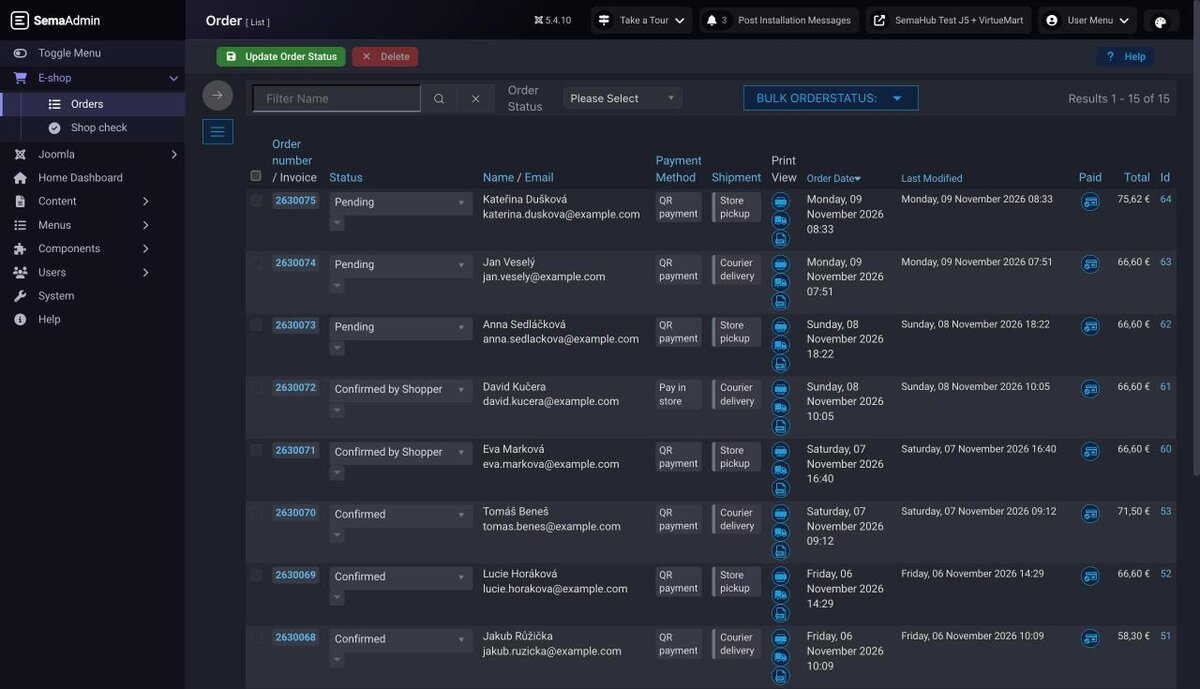
- Orders as the home page — the order list right after login
- SemaAdmin administrator template — a modern, compact replacement for Atum across the whole Joomla administration
- Appearance settings — light, dark or follow the system, 8 colour schemes and display size, each user picks their own in the header
- VirtueMart in the same look — on top of VirtueMart's own
vmadmintemplate, follows the SemaAdmin mode and colours, with compact rows - Fix for + and % in addresses — steps aside by itself once VirtueMart fixes the fault
How it works
Step by step
Install the package
One ZIP through Extensions: Install. On a site without Joomla 5 or without VirtueMart the installation stops and changes nothing.
Run the Shop check
From the E-shop menu. It shows what is wrong in the shop and checks what the package needs: the vmadmin template with the Admin template option enabled.
Turn on what you want
Numbering and invoices are off after installation because they change documents. Turn them on in Plugins once you have checked they match your accounting.
For shop owners
- Survives VirtueMart updates — Nothing is written into VirtueMart files; the look and the features live in separate plugins.
- Updates keep your settings — Defaults are applied only to modules that were not on the site before.
- Original payment data stays — Changing the method does not delete the original payment record, so gateway transaction details are kept.
- Errors go to the log, not into the order — When a number cannot be assigned, the order still goes through and the reason is in
administrator/logs/.
What you can configure
| Setting | Description |
|---|---|
| Shipment and payment change | Price recalculation, order total update, keeping original method data, unpublished methods, history note |
| Order numbering | Format (year, month, number of digits), starting number, invoice number = order number |
| Up-to-date invoice | Closed period protection: earlier months or invoices before a date |
| E-shop menu | E-shop block, orders as home page, simplified top bar |
| Look | Compact rows, accent colour, status select width |
| Modules | Each one on or off separately |
Technical details
| Property | Value |
|---|---|
| Joomla | 5.3 and later 5.x |
| VirtueMart | 4.6.4 and 4.8.2 (verified) |
| PHP | 8.1 or later (verified 8.1, 8.2, 8.3, 8.5) |
| VirtueMart template | vmadmin with the Admin template option enabled |
| Administration mode | light, dark or follow the system |
| Components | SemaAdmin administrator template, Shop check component, 7 system plugins |
| Languages | English, Czech |
| Licence | GNU GPL v2 or later |
Frequently asked questions
Does the package modify VirtueMart files?
No. Everything runs in separate Joomla plugins, a VirtueMart update does not overwrite them and with a module turned off the administration is as before.
What does my shop need?
Joomla 5, VirtueMart 4.6.4 or 4.8.2 and the vmadmin template, which comes with the VirtueMart package, with the Admin template option enabled. The Shop check verifies this after installation.
Does the look work in light mode?
Yes, since version 1.2. The administration and VirtueMart are readable in light and dark mode and in all 8 colour schemes; we measured contrast on all main screens.
I already have SemaAdmin Template for Joomla. What happens to it?
The standalone template is free with registration and is enough for a site without VirtueMart. The VirtueMart package contains it, takes it over together with its settings on installation, and the standalone template is then no longer needed. If SemaAdmin is already on your site, the package does not change the default administrator template.
Is the price recalculated correctly after a shipment change?
Yes, from the new method's settings, the order weight and the delivery country. If the method's plugin is missing on the site, the original price stays and the Shop check lists that method.
Is the pickup point carried over?
No. If the new shipment needs one, fill it in before handing the parcel to the carrier.
Does numbering change existing order numbers?
No, the new series applies to new orders only. If a number cannot be assigned, the order does not stop and gets a VirtueMart number.
Will recreated invoices overwrite documents my accountant already has?
Set the closed period protection: invoices from earlier months or before a chosen date stay unchanged. The module is also off after installation.
I use the old VM Dark Admin plugin. What happens to it?
On installation the new look module takes over its settings and disables the old plugin. You can uninstall it afterwards.
Does it work on Joomla 6?
We have tried it, but we do not support it until official Joomla 6 support in VirtueMart is verified.
How it looks in practice